Driver.ru
Скачать A4Tech NB-20 Драйвер v.7.80 для Windows Vista, XP (32/64-bit), 2000, Server 2003 (32/64-bit), XP Media Center, 98, ME, 98 SE
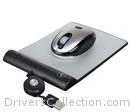
На этой странице вы можете бесплатно скачать A4Tech NB-20 Драйвер v.7.80
Категория:Mouse
Производитель:A4Tech
Оборудование:A4Tech NB-20
Тип программы:Драйвер
Название:Driver
Версия:7.80
Размер файла:1.2Mb
Тип архива:ZIP
Совместимость:
Список совместимых Device Ids (4)
Дата выхода:28 Mar 2007
Система:Windows Vista, Windows XP, Windows XP 64-bit, Windows 2000, Windows Server 2003, Windows Server 2003 64-bit, Windows XP Media Center, Windows 98, Windows ME, Windows 98 SE
Status:Free
Загрузок:76
Описание:Driver for Win9x, Win2000, WinME, WinXP(X64),Win2003(X64),MCE,2005/Vista X8
Instruction on How to download and install the driver properly
1.) Press Download button to download the desire driver
2.) Save it some where you will remember after downloaded. Recommend save on desktop so it is easily find
3.)After succInstructions on How to download and install the driver properly
1.) Press Download button to download the desired driver
2.) Save it somewhere where you will remember after download. We recommend that you save it on your desktop, so it will be easy to find
3.) After successfully downloading the driver, do not open the driver file until you make sure the following has completed: ***REMOVE / UNINSTALL any original mouse driver from the PC. (If you forgot to do this part, your driver may not be able to install correctly and successfully later
4.) After the original mouse driver has been removed, open the downloaded file
5.) Follow the on-screen instructions
6.) When it's successfully installed, please restart your computer
7.) After you have restarted the computer, you will see on the bottom right corner of the taskbar a mouse icon. This means you have installed the driver successfully.essfully downloaded the driver, do not open the driver file until you make sure the following has completed
***REMOVE / UNINSTANLL any original mouse driver from the PC. (If you forgot to do this part, your driver may not be able to install correctly and successfully later
4.) After the original mouse driver has been removed, open the downloaded fil
5.) Follow on-screen instructio
6.) When it's successfully installed, please restart your compute
7.) After you have restart the computer, you will see on the bottom right corner of the tastbar a mouse icon. This means you have installed the driver successfully.
Instruction on How to download and install the driver properly
1.) Press Download button to download the desire driver
2.) Save it some where you will remember after downloaded. Recommend save on desktop so it is easily find
3.)After succInstructions on How to download and install the driver properly
1.) Press Download button to download the desired driver
2.) Save it somewhere where you will remember after download. We recommend that you save it on your desktop, so it will be easy to find
3.) After successfully downloading the driver, do not open the driver file until you make sure the following has completed: ***REMOVE / UNINSTALL any original mouse driver from the PC. (If you forgot to do this part, your driver may not be able to install correctly and successfully later
4.) After the original mouse driver has been removed, open the downloaded file
5.) Follow the on-screen instructions
6.) When it's successfully installed, please restart your computer
7.) After you have restarted the computer, you will see on the bottom right corner of the taskbar a mouse icon. This means you have installed the driver successfully.essfully downloaded the driver, do not open the driver file until you make sure the following has completed
***REMOVE / UNINSTANLL any original mouse driver from the PC. (If you forgot to do this part, your driver may not be able to install correctly and successfully later
4.) After the original mouse driver has been removed, open the downloaded fil
5.) Follow on-screen instructio
6.) When it's successfully installed, please restart your compute
7.) After you have restart the computer, you will see on the bottom right corner of the tastbar a mouse icon. This means you have installed the driver successfully.
Правовая информация:Все програмное обеспечение, размещённое на Driver.ru является бесплатным. Все названия и торговые марки принадлежат их владельцам.
Внимание:Некоторые программы получены из непроверенных источников. Мы не гарантируем их совместимость и работоспособность. Всегда проверяйте загруженные файлы с помощью антивирусных программ. Мы не несём никакой ответственности за возможные потери, возникшие в результате установки загруженных программ. Загрузка файла с Driver.ru обозначает вашу информированность об этом и согласие с данными условиями.
Похожие файлы:
Тип программы:Driver
Версия:7.8
Система:Mac OS X
Тип программы:Driver
Версия:7.8
Система:Mac OS 9.x
Тип программы:Driver
Версия:7.8
Система:Windows Vista, Windows Vista 64-bit, Windows XP, Windows XP 64-bit, Windows 2000, Windows Server 2003, Windows Server 2003 64-bit, Windows XP Media Center, Windows MEWindows 98 SE
Тип программы:Driver
Версия:7.66
Система:Windows XP, Windows 2000, Windows Server 2003, Windows 98, Windows ME, Windows 95, Windows NTother